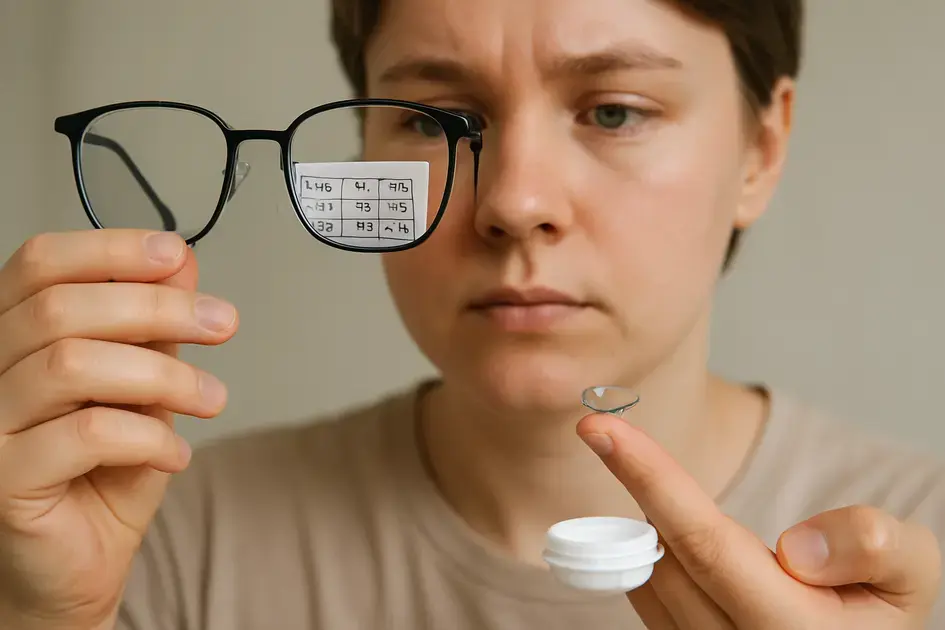
To address digital eye strain, ensure proper lighting, adjust screen settings, and take regular breaks using the 20-20-20 rule. Correct posture, consider anti-reflective glasses, stay hydrated, and practice eye exercises to relieve tension. Seek professional eye care for persistent symptoms.
7 Fixes for Digital Eye Strain: Reduce Screen Fatigue Now is something many of us should pay attention to. Have you ever felt tired eyes after a long day on devices? Let’s explore simple steps you can take to ease the discomfort and protect your vision.
Understanding digital eye strain and its symptoms
Digital eye strain, also known as computer vision syndrome, is a group of eye and vision-related problems that result from prolonged computer, tablet, e-reader, and cell phone use. It’s not just about staring at screens; it’s how long and how intensely we focus on them.
Symptoms of Digital Eye Strain
Several symptoms can indicate you’re experiencing digital eye strain. These might include:
- Eye fatigue: Feeling tired or strained in your eyes.
- Dry eyes: A gritty or burning sensation.
- Blurred vision: Difficulty focusing on the screen.
- Headaches: Especially tension headaches.
- Neck and shoulder pain: Due to poor posture.
- Light sensitivity: Eyes feeling more sensitive to bright lights.
Why Screens Cause Eye Strain
Several factors contribute to digital eye strain:
- Reduced blinking: We blink less when staring at screens, leading to dry eyes.
- Glare: Reflections on the screen can cause eye strain.
- Poor posture: Incorrect positioning can strain your neck and eyes.
- Blue light: Emitted from screens, it can disrupt sleep patterns and potentially harm the retina.
How blue light affects your vision
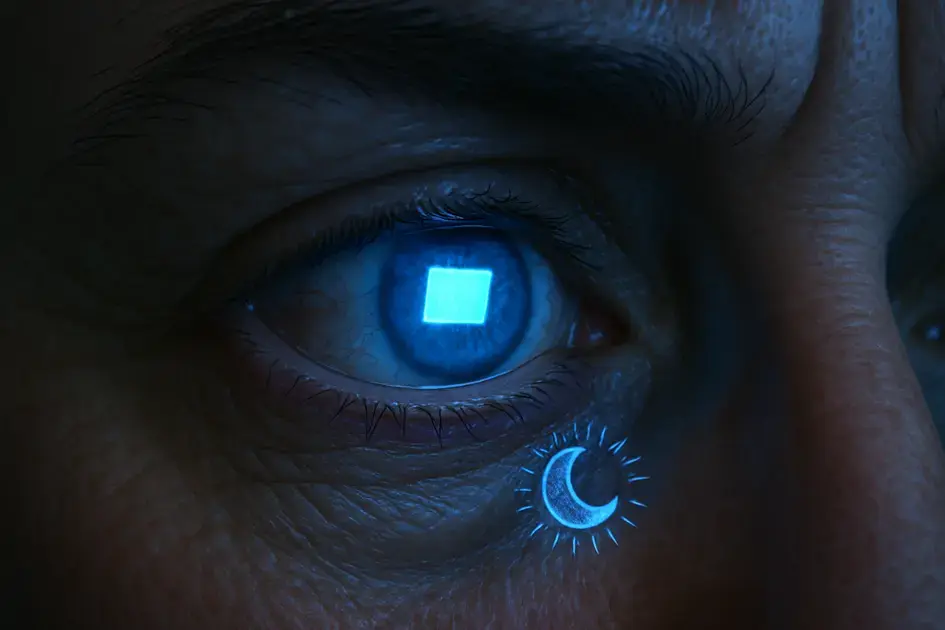
Blue light, also known as high-energy visible (HEV) light, is a type of light emitted by digital screens, LED lighting, and the sun. While we get most of our blue light exposure from the sun, the amount we get from screens is still a concern, especially given how much time we spend using them.
How Blue Light Affects Your Eyes
Blue light can have several effects on your vision and overall health:
- Eye Strain: Blue light scatters more easily than other visible light, making it harder for your eyes to focus. This contributes to digital eye strain, causing fatigue and discomfort.
- Sleep Disruption: Exposure to blue light, particularly in the evening, can interfere with your body’s natural sleep-wake cycle (circadian rhythm). It suppresses the production of melatonin, a hormone that regulates sleep.
- Retinal Damage: Some studies suggest that prolonged exposure to high levels of blue light can potentially damage the light-sensitive cells in the retina, which may lead to vision problems. More research is still needed in this area.
- Macular Degeneration: There’s concern that blue light may increase the risk of age-related macular degeneration (AMD), a leading cause of vision loss.
Protecting Your Eyes from Blue Light
While the long-term effects of blue light are still being studied, there are steps you can take to protect your eyes:
- Blue Light Glasses: These glasses have filters that block or absorb blue light.
- Screen Filters: Apply a blue light filter to your screens to reduce the amount of blue light emitted.
- Limit Screen Time: Take breaks from screens and avoid using them before bed.
- Adjust Screen Settings: Reduce the brightness of your screen and use night mode or dark mode, which reduces the amount of blue light.
Importance of screen brightness adjustment
Adjusting your screen brightness is a simple yet crucial step in preventing digital eye strain. The goal is to match the brightness of your screen to the brightness of your surrounding environment. When your screen is significantly brighter or dimmer than its surroundings, your eyes have to work harder to focus, leading to fatigue and discomfort.
Why Screen Brightness Matters
Here’s why properly adjusting screen brightness is essential:
- Reduces Eye Strain: Matching screen brightness to the ambient light minimizes the effort your eyes need to focus, reducing strain and fatigue.
- Improves Comfort: A comfortable screen brightness level makes it easier and more pleasant to view content for extended periods.
- Prevents Headaches: By reducing eye strain, you can also help prevent headaches associated with prolonged screen use.
- Enhances Sleep Quality: Lowering screen brightness, especially in the evening, can help minimize the impact of blue light on your sleep cycle.
How to Adjust Screen Brightness
Here’s how to adjust screen brightness on different devices:
- Computers: Most computers have brightness controls on the keyboard or in the display settings. You can also often adjust brightness directly in the operating system’s settings.
- Smartphones and Tablets: These devices typically have brightness sliders in the quick settings menu or in the display settings.
- Automatic Adjustment: Many devices have an automatic brightness setting that adjusts screen brightness based on ambient light levels. While convenient, it’s often best to fine-tune the settings manually for optimal comfort.
Tips for Optimal Brightness Adjustment
Here are a few tips to help you find the best screen brightness:
- Morning vs. Evening: You’ll likely need a brighter screen during the day and a dimmer screen in the evening.
- Room Lighting: Adjust your screen brightness based on the amount of light in the room. If you’re in a dark room, lower the brightness significantly.
- Experiment: Take the time to experiment with different brightness levels to find what works best for you.
Regular breaks and the 20-20-20 rule
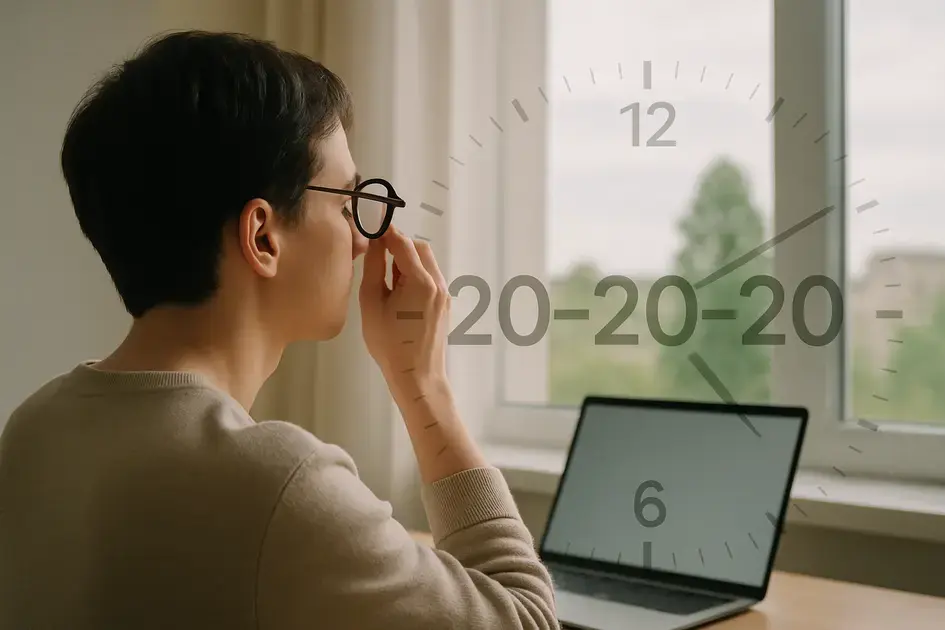
Taking regular breaks is one of the simplest and most effective ways to combat digital eye strain. Our eyes aren’t designed to focus on a single point for extended periods. Regular breaks allow your eye muscles to relax and refocus, preventing fatigue and discomfort. The 20-20-20 rule is a popular and easy-to-remember guideline for taking these breaks.
The 20-20-20 Rule
The 20-20-20 rule suggests that every 20 minutes, you should look at an object 20 feet away for 20 seconds. This simple exercise helps to relieve eye strain by changing your focus and allowing your eye muscles to relax.
Why the 20-20-20 Rule Works
Here’s why this rule is so effective:
- Relaxes Eye Muscles: Focusing on a distant object relaxes the muscles that are used to focus on close-up screens.
- Reduces Eye Fatigue: By giving your eyes a break, you prevent them from becoming overworked and fatigued.
- Increases Blinking: Looking away from the screen encourages more frequent blinking, which helps to lubricate your eyes and prevent dryness.
Implementing Regular Breaks
Here are some tips for incorporating regular breaks into your workday:
- Set a Timer: Use a timer or an app to remind you to take a break every 20 minutes.
- Look Out the Window: If possible, look out the window at a distant object.
- Stand Up and Stretch: Use your breaks as an opportunity to stand up, stretch, and move around.
- Change Activities: Briefly engage in a non-screen activity, such as reading a book or talking to a colleague.
Beyond the 20-20-20 Rule
While the 20-20-20 rule is a great starting point, don’t be afraid to take longer or more frequent breaks if needed. Listen to your body and adjust your break schedule accordingly. Short, frequent breaks are generally more effective than fewer, longer breaks.
Correcting posture to reduce eye and neck strain
Poor posture can significantly contribute to both eye and neck strain, especially when working at a computer for long periods. When you slouch or hunch over, it affects the alignment of your head and neck, which in turn puts extra stress on your eye muscles. Correcting your posture can alleviate this strain and improve your overall comfort.
How Posture Affects Eye Strain
Here’s how poor posture leads to eye strain:
- Increased Neck Tension: Slouching causes neck muscles to tighten, which can lead to headaches and referred pain in the eyes.
- Reduced Blood Flow: Poor posture can restrict blood flow to the head and eyes, affecting their ability to function properly.
- Improper Viewing Angle: Hunching forward can force you to view the screen at an unnatural angle, straining your eye muscles.
Achieving Good Posture
Here are some tips for maintaining good posture while working at a computer:
- Sit Upright: Sit with your back straight and your shoulders relaxed.
- Use Proper Chair Support: Choose a chair with good lumbar support to maintain the natural curve of your spine.
- Adjust Screen Height: Position your screen so that the top of the monitor is at or slightly below eye level. This prevents you from tilting your head up or down.
- Keep Screen at Arm’s Length: Position the screen about an arm’s length away from your eyes.
- Use a Footrest: If your feet don’t comfortably reach the floor, use a footrest to support them.
Exercises for Posture Correction
Incorporate these exercises into your routine to improve your posture:
- Chin Tucks: Gently tuck your chin towards your chest to stretch the neck muscles.
- Shoulder Blade Squeezes: Squeeze your shoulder blades together to strengthen the upper back muscles.
- Chest Stretch: Clasp your hands behind your back and gently stretch your chest forward.
Ergonomic Setup
Investing in an ergonomic setup is crucial for maintaining good posture. This includes an ergonomic chair, a monitor stand, and a keyboard and mouse that are positioned for comfort.
Using anti-reflective and blue light glasses
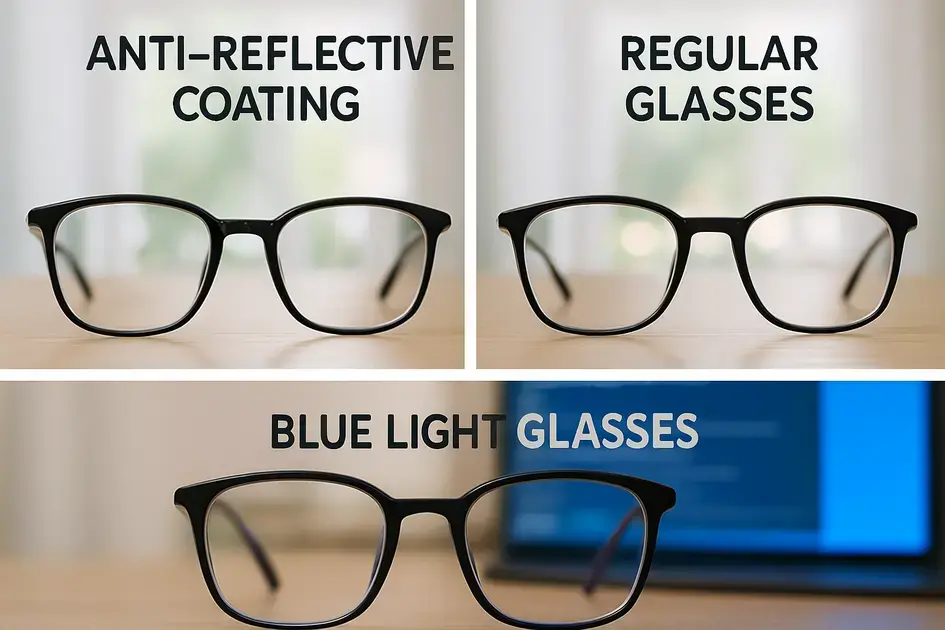
Anti-reflective (AR) and blue light glasses are two types of eyewear that can help reduce digital eye strain. AR glasses minimize glare, while blue light glasses filter out some of the high-energy blue light emitted from screens. Both types of glasses can improve visual comfort, especially for those who spend long hours in front of digital devices.
Anti-Reflective (AR) Glasses
AR coatings reduce the amount of light that reflects off the surface of your lenses. This can improve vision by:
- Reducing Glare: Minimizing reflections from screens and lights, which can cause eye strain.
- Improving Clarity: Allowing more light to pass through the lenses, resulting in sharper vision.
- Enhancing Appearance: Making your glasses look more transparent.
Blue Light Glasses
Blue light glasses have special filters that block or absorb some of the blue light emitted from digital screens. They can help to:
- Reduce Eye Strain: By filtering out blue light, these glasses can reduce eye fatigue and discomfort.
- Improve Sleep: Blocking blue light exposure in the evening can help regulate your sleep cycle.
- Protect Retina: Some studies suggest they may help protect the retina from potential damage caused by blue light.
Choosing the Right Glasses
Here are some considerations when choosing between AR and blue light glasses:
- AR Glasses: A good choice for anyone who experiences glare or reflections while using digital devices.
- Blue Light Glasses: May be beneficial for those who spend many hours in front of screens, especially in the evening.
- Combination: You can also get glasses with both AR coatings and blue light filters for comprehensive protection.
Consulting an Eye Doctor
It’s always a good idea to consult with an eye doctor to determine the best type of glasses for your individual needs. They can assess your vision, recommend the appropriate lenses, and ensure that your glasses fit properly.
optimizing screen settings for comfort
Optimizing your screen settings can significantly enhance your comfort and reduce digital eye strain. Adjusting factors like brightness, contrast, text size, and color temperature can make your screen easier on the eyes and help prevent fatigue. These settings are usually easily accessible through your device’s display or accessibility settings.
Brightness and Contrast
Adjusting brightness and contrast is key to matching your screen to your environment:
- Brightness: Match the screen’s brightness to the surrounding light. Too bright or too dim can cause strain.
- Contrast: Adjust contrast so that text and images are clearly distinguishable but not overly sharp.
Text Size and Font
Make sure your text is easy to read without having to strain your eyes:
- Text Size: Increase the text size if you find yourself squinting or leaning closer to the screen.
- Font Choice: Choose a clear, easy-to-read font. Sans-serif fonts are often a good choice for digital displays.
Color Temperature
Adjusting the color temperature can reduce blue light exposure:
- Night Mode/Dark Mode: Use night mode or dark mode to reduce the amount of blue light emitted by your screen, especially in the evening.
- Color Filters: Some devices have color filters that can reduce blue light.
Other Display Settings
Consider these additional settings for comfort:
- Refresh Rate: Ensure your monitor has a high refresh rate to reduce flicker.
- Resolution: Use the recommended resolution for your monitor for the sharpest image quality.
Accessibility Settings
Many devices have accessibility settings that can further improve your viewing experience. These may include options for increasing contrast, inverting colors, or reducing motion effects.
Importance of proper lighting in your workspace
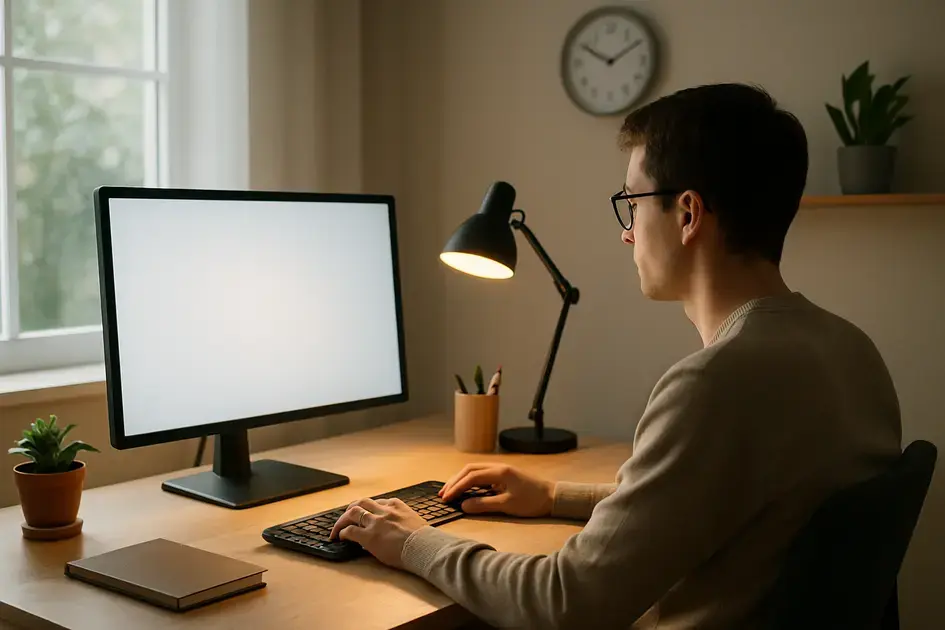
Proper lighting in your workspace is crucial for reducing eye strain and improving overall visual comfort. Poor lighting conditions can force your eyes to work harder to focus, leading to fatigue, headaches, and blurred vision. Optimizing your lighting can make a significant difference in how comfortable you feel while working.
Why Lighting Matters
Here’s why proper lighting is essential for a comfortable workspace:
- Reduces Glare: Minimizing glare from light sources can prevent eye strain and improve visibility.
- Improves Focus: Adequate lighting makes it easier to focus on tasks, reducing eye fatigue.
- Enhances Mood: Good lighting can improve your mood and productivity.
Types of Lighting
Here are the different types of lighting to consider:
- Natural Light: Whenever possible, use natural light as your primary light source. Position your workspace near a window, but avoid direct sunlight.
- Ambient Lighting: Provides overall illumination to the room. Use a soft, diffused light to reduce glare.
- Task Lighting: Directs light to a specific task area. Use a desk lamp or adjustable light to focus light on your work.
Tips for Optimal Lighting
Here are some tips for setting up optimal lighting in your workspace:
- Avoid Glare: Position your monitor so that it doesn’t reflect light from windows or overhead lights.
- Use Diffused Light: Use lamps with shades or diffusers to soften the light.
- Adjust Brightness: Adjust the brightness of your lights to match the ambient light in the room.
- Consider Color Temperature: Use warm-toned lights in the evening to reduce blue light exposure.
Lighting for Different Tasks
Adjust your lighting based on the type of task you’re performing. For detailed work, use brighter, focused light. For general tasks, use softer, ambient light.
hydration and eye health connection
Staying properly hydrated is essential for overall health, and it plays a significant role in maintaining eye health. Dehydration can lead to various eye-related problems, including dry eyes and blurred vision. Ensuring you drink enough water throughout the day can help keep your eyes lubricated and functioning optimally.
Why Hydration Matters for Eyes
Here’s how hydration affects your eye health:
- Tear Production: Water is a key component of tears, which lubricate the eyes and protect them from irritation. Dehydration can reduce tear production, leading to dry eyes.
- Eye Function: Proper hydration is necessary for the cells in your eyes to function correctly.
- Vision Clarity: Dehydration can cause blurred vision and difficulty focusing.
Symptoms of Dehydration Affecting Eyes
Watch out for these symptoms, which may indicate dehydration affecting your eyes:
- Dry Eyes: A gritty or burning sensation in your eyes.
- Blurred Vision: Difficulty focusing on objects.
- Light Sensitivity: Increased sensitivity to light.
- Eye Fatigue: Tired or strained eyes.
How Much Water to Drink
The recommended daily water intake varies depending on factors such as age, activity level, and climate. A general guideline is to drink at least 8 glasses of water per day. Increase your intake if you’re physically active or in a hot environment.
Tips for Staying Hydrated
Here are some tips for staying properly hydrated throughout the day:
- Carry a Water Bottle: Keep a water bottle with you and sip on it throughout the day.
- Set Reminders: Use a timer or an app to remind you to drink water.
- Eat Hydrating Foods: Consume fruits and vegetables with high water content, such as watermelon, cucumber, and spinach.
- Avoid Sugary Drinks: Sugary drinks can dehydrate you and provide empty calories. Stick to water, herbal teas, and unsweetened beverages.
Exercises to relieve eye muscle tension
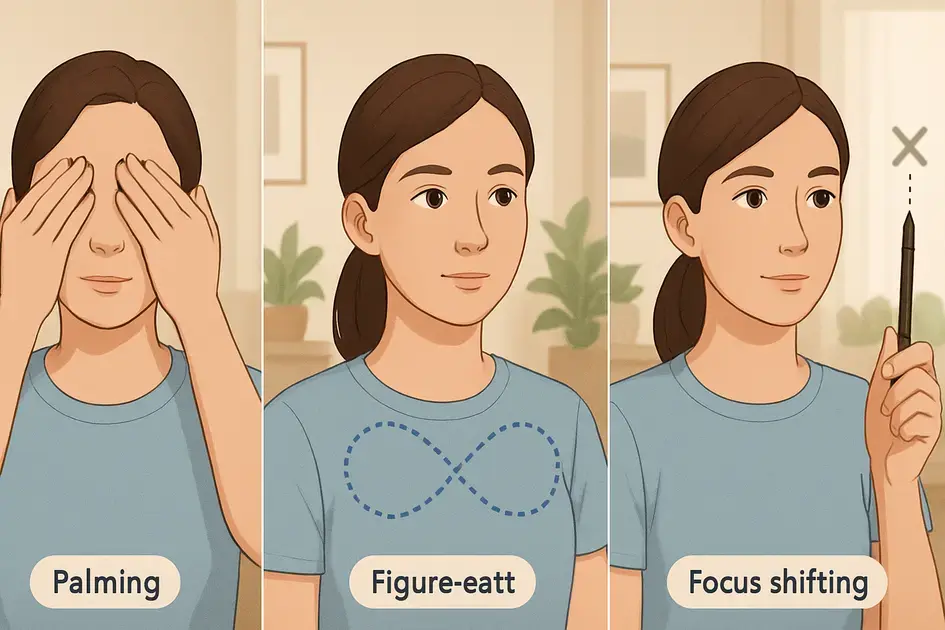
Just like any other muscle in your body, the muscles in your eyes can become tense and fatigued, especially with prolonged screen use. Performing regular eye exercises can help relieve this tension, improve focus, and prevent digital eye strain. These exercises are simple, easy to do, and can be incorporated into your daily routine.
Why Eye Exercises Matter
Here’s why eye exercises are beneficial:
- Relieves Tension: Eye exercises can help relax tense eye muscles, reducing fatigue and discomfort.
- Improves Focus: Regular exercises can improve your ability to focus on objects, especially at different distances.
- Increases Circulation: Eye exercises can increase blood flow to the eyes, promoting overall eye health.
Effective Eye Exercises
Here are some effective eye exercises you can try:
- Blinking: Consciously blink frequently to lubricate your eyes and prevent dryness.
- Palming: Rub your palms together to generate warmth, then gently cup them over your closed eyes for a few minutes. This helps to relax the eye muscles.
- Figure Eight: Imagine a figure eight lying on its side and trace it with your eyes. Repeat several times, then switch directions.
- Focus Shifting: Hold a pen or your finger at arm’s length, focus on it, then shift your focus to a distant object. Repeat several times.
- Eye Rolling: Gently roll your eyes clockwise, then counterclockwise. Repeat several times.
Incorporating Eye Exercises into Your Routine
Here’s how to integrate eye exercises into your daily routine:
- Set Reminders: Use a timer or an app to remind you to take breaks and perform eye exercises.
- Combine with Breaks: Perform eye exercises during your regular breaks from screen use.
- Practice Regularly: Aim to practice eye exercises several times a day for the best results.
Listen to Your Body
If you experience any discomfort or pain while performing eye exercises, stop and consult with an eye doctor.
adjusting text size and contrast for easier reading
Adjusting text size and contrast on your digital devices can greatly improve readability and reduce eye strain. Making these adjustments ensures that text is clear, easy to see, and doesn’t require you to squint or strain your eyes. Optimizing these settings can make a significant difference in your overall comfort while using screens.
Why Text Size and Contrast Matter
Here’s why these settings are important:
- Reduces Eye Strain: Clear, easily readable text reduces the effort your eyes need to focus, minimizing strain and fatigue.
- Improves Readability: Optimal text size and contrast make it easier to read text quickly and efficiently.
- Enhances Comfort: Comfortable reading settings make it more pleasant to use screens for extended periods.
Adjusting Text Size
Here’s how to adjust text size on different devices:
- Computers: Most operating systems allow you to adjust text size in the display settings or accessibility settings. You can also use keyboard shortcuts like Ctrl + (+) or Ctrl + (-) to zoom in and out on many applications.
- Smartphones and Tablets: These devices typically have text size options in the display settings or accessibility settings.
- Web Browsers: Web browsers also allow you to adjust text size using zoom settings or keyboard shortcuts.
Adjusting Contrast
Here’s how to adjust contrast for optimal readability:
- High Contrast Mode: Many operating systems and devices have a high contrast mode that increases the contrast between text and background.
- Dark Mode: Dark mode can also improve contrast by displaying light text on a dark background.
- Custom Contrast Settings: Some devices allow you to adjust contrast levels manually in the display settings.
Choosing the Right Settings
Here are some tips for choosing the best text size and contrast settings:
- Experiment: Take the time to experiment with different settings to find what works best for you.
- Consider Lighting: Adjust your settings based on the lighting conditions in your environment.
- Test with Different Content: Test your settings with different types of content, such as websites, documents, and ebooks.
Setting up ergonomic workstations
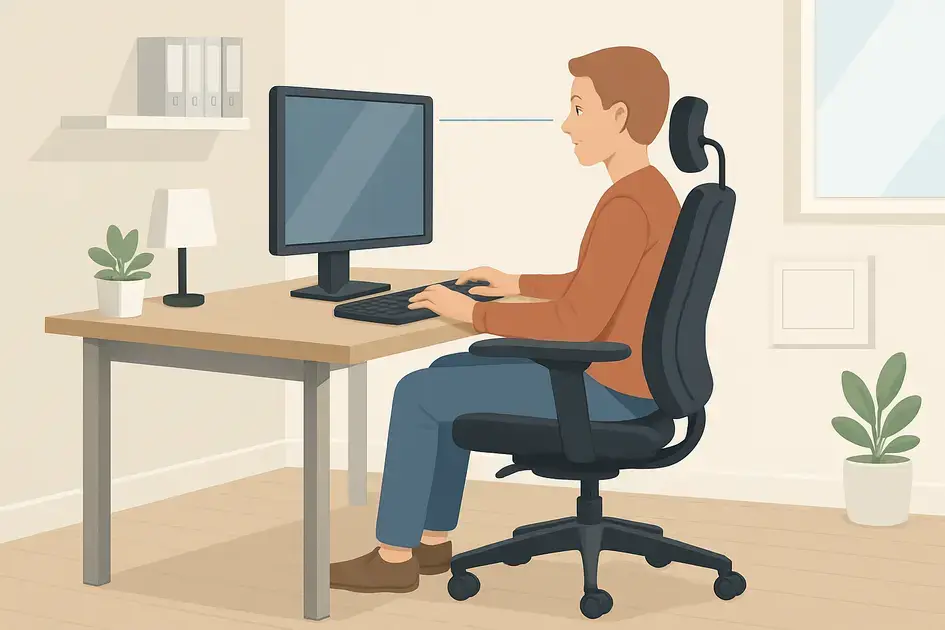
An ergonomic workstation is designed to fit your body and promote good posture, reducing the risk of strain and injury. Setting up an ergonomic workstation involves adjusting your chair, monitor, keyboard, and mouse to create a comfortable and efficient workspace. Investing in ergonomic equipment and arranging your workspace properly can significantly reduce eye strain, neck pain, and other musculoskeletal problems.
Why Ergonomics Matter
Here’s why setting up an ergonomic workstation is crucial:
- Reduces Strain and Pain: Proper ergonomics can minimize strain on your eyes, neck, back, and wrists.
- Improves Posture: An ergonomic setup encourages good posture, reducing the risk of musculoskeletal problems.
- Increases Productivity: A comfortable and efficient workspace can boost your productivity and focus.
Key Components of an Ergonomic Workstation
Here are the key components to consider when setting up your workstation:
- Chair: Choose a chair with good lumbar support, adjustable height, and adjustable armrests.
- Monitor: Position your monitor so that the top of the screen is at or slightly below eye level. Keep the screen an arm’s length away from your eyes.
- Keyboard and Mouse: Position your keyboard and mouse so that your elbows are bent at a 90-degree angle and your wrists are straight. Use a wrist rest if needed.
- Lighting: Ensure your workspace has adequate lighting to reduce glare and eye strain.
Tips for Setting Up Your Workstation
Here are some tips for setting up your ergonomic workstation:
- Adjust Your Chair: Adjust the height and backrest of your chair to provide good lumbar support.
- Position Your Monitor: Place your monitor directly in front of you and at the correct height and distance.
- Place Your Keyboard and Mouse: Position your keyboard and mouse close to your body to avoid reaching.
- Take Breaks: Stand up and stretch regularly to prevent stiffness and fatigue.
Investing in Ergonomic Equipment
Consider investing in ergonomic equipment such as an ergonomic chair, a monitor stand, and an ergonomic keyboard and mouse to improve your workstation setup.
using apps to remind you to rest your eyes
In today’s digital world, it’s easy to get caught up in our work and forget to take breaks, especially to rest our eyes. Fortunately, there are many apps available that can remind you to take regular breaks and perform eye exercises. These apps can be a valuable tool in preventing digital eye strain and maintaining good eye health.
Why Use Reminder Apps?
Here’s why reminder apps are helpful:
- Prompts Regular Breaks: Apps can send you notifications to remind you to take breaks and rest your eyes.
- Encourages Eye Exercises: Some apps provide guided eye exercises to help relieve tension and improve focus.
- Customizable: Many apps allow you to customize the frequency and duration of breaks to suit your needs.
Popular Eye Break Reminder Apps
Here are some popular apps that can help you remember to rest your eyes:
- EyeLeo: A free app for Windows that reminds you to take regular breaks and perform eye exercises.
- ProtectYourVision: An app for macOS that dims your screen and reminds you to take breaks.
- Awareness: An app for macOS that gradually dims your screen to encourage you to take breaks.
- Breaker: An app for Android and iOS that sends you notifications to take breaks and perform eye exercises.
- Time Out: A break reminder tool for macOS that allows you to configure different types of breaks.
Features to Look For in a Reminder App
When choosing an eye break reminder app, look for these features:
- Customizable Intervals: The ability to set the frequency and duration of breaks.
- Eye Exercise Reminders: Prompts to perform specific eye exercises.
- Screen Dimming: Automatic screen dimming during breaks.
- Notifications: Clear and noticeable notifications to remind you to take breaks.
Integrating Apps into Your Routine
To make the most of reminder apps, integrate them into your daily routine and stick to the break schedule. Consistency is key to preventing digital eye strain and maintaining good eye health.
Role of diet and nutrition in eye health

A balanced diet rich in essential nutrients plays a vital role in maintaining good eye health and preventing various eye-related problems, including digital eye strain. Certain vitamins, minerals, and antioxidants can protect your eyes from damage, improve vision, and reduce the risk of age-related eye diseases. Eating a healthy diet is an important step in caring for your eyes.
Key Nutrients for Eye Health
Here are some key nutrients that are essential for eye health:
- Vitamin A: Important for maintaining healthy vision and preventing night blindness. Sources include carrots, sweet potatoes, and leafy green vegetables.
- Vitamin C: An antioxidant that protects against free radical damage. Sources include citrus fruits, berries, and broccoli.
- Vitamin E: Another antioxidant that protects eye cells from damage. Sources include nuts, seeds, and vegetable oils.
- Lutein and Zeaxanthin: Antioxidants that protect the retina from damage caused by blue light. Sources include leafy green vegetables like spinach and kale.
- Omega-3 Fatty Acids: Important for maintaining healthy tear production and reducing the risk of dry eyes. Sources include fatty fish like salmon, flaxseeds, and chia seeds.
- Zinc: Helps transport vitamin A from the liver to the retina. Sources include oysters, beef, and pumpkin seeds.
Foods for Healthy Eyes
Here are some foods that are particularly beneficial for eye health:
- Leafy Green Vegetables: Spinach, kale, and collard greens are rich in lutein and zeaxanthin.
- Fatty Fish: Salmon, tuna, and mackerel are excellent sources of omega-3 fatty acids.
- Citrus Fruits: Oranges, lemons, and grapefruits are rich in vitamin C.
- Nuts and Seeds: Almonds, walnuts, and chia seeds provide vitamin E and omega-3 fatty acids.
- Carrots: Rich in vitamin A and beta-carotene, which are important for vision.
Supplements for Eye Health
If you’re not getting enough of these nutrients through your diet, consider taking supplements. However, it’s always best to consult with a healthcare professional before starting any new supplements.
Hydration and Diet
Remember that proper hydration is also crucial for eye health. Drink plenty of water throughout the day to keep your eyes lubricated.
when to seek professional eye care
While many of the tips discussed can help alleviate digital eye strain, it’s essential to know when to seek professional eye care. If you experience persistent or severe symptoms, it’s important to consult with an eye doctor to rule out any underlying conditions and receive appropriate treatment. Regular eye exams are crucial for maintaining good eye health.
Symptoms That Warrant Professional Care
Here are some symptoms that indicate you should seek professional eye care:
- Persistent Eye Strain: If you experience eye strain that doesn’t improve with self-care measures.
- Severe Dry Eyes: If your dry eyes are severe and don’t respond to over-the-counter treatments.
- Blurred Vision: If you experience sudden or persistent blurred vision.
- Double Vision: Seeing double is a sign of a serious eye problem.
- Eye Pain: Severe eye pain or discomfort should be evaluated by an eye doctor.
- Light Sensitivity: Extreme sensitivity to light may indicate an underlying condition.
- Floaters or Flashes: Sudden appearance of floaters or flashes in your vision.
- Vision Loss: Any loss of vision should be evaluated immediately.
Importance of Regular Eye Exams
Regular eye exams are essential for:
- Detecting Eye Problems Early: Eye exams can detect eye problems in their early stages when they are easier to treat.
- Correcting Vision Problems: Eye exams can identify and correct vision problems such as nearsightedness, farsightedness, and astigmatism.
- Monitoring Eye Health: Eye exams can monitor the overall health of your eyes and detect any changes that may require treatment.
What to Expect During an Eye Exam
During an eye exam, your eye doctor will:
- Review Your Medical History: Ask about your medical history and any eye-related symptoms you’re experiencing.
- Test Your Vision: Assess your visual acuity using an eye chart.
- Examine Your Eyes: Examine your eyes for signs of eye diseases or other problems.
- Measure Eye Pressure: Check the pressure inside your eyes to screen for glaucoma.
Finding an Eye Doctor
If you need to find an eye doctor, ask your primary care physician for a referral or search online for eye doctors in your area.
Digital eye strain is a common problem, but it’s manageable with the right strategies. By understanding the causes and symptoms, and implementing these 7 fixes – adjusting screen settings, taking regular breaks, correcting your posture, and more – you can significantly reduce eye fatigue and improve your overall comfort. Remember to prioritize your eye health and seek professional care if needed. Taking proactive steps to care for your eyes will ensure comfortable and clear vision in our increasingly digital world.
FAQ – Frequently Asked Questions About Digital Eye Strain
What exactly is digital eye strain?
Digital eye strain, also known as computer vision syndrome, is a group of eye and vision-related problems that result from prolonged use of digital devices.
How does blue light contribute to eye strain?
Blue light scatters more easily than other visible light, making it harder for your eyes to focus, which contributes to eye strain and fatigue.
What is the 20-20-20 rule and how does it help?
Every 20 minutes, look at an object 20 feet away for 20 seconds. This relaxes eye muscles and encourages blinking, reducing eye fatigue.
Can correcting my posture really help with eye strain?
Yes, poor posture can strain your neck and eyes. Sitting upright with proper support and screen positioning can alleviate this strain.
Are blue light glasses worth it?
Blue light glasses can filter out some of the blue light emitted from screens, potentially reducing eye strain and improving sleep, especially when used in the evening.
How important is screen brightness adjustment?
Matching your screen brightness to the brightness of your environment minimizes the effort your eyes need to focus, reducing strain and fatigue.